
HUWI F152J F152R7-16 - Battery 6083215P 4000mAh


S$81.09
- In Stock! ETA: 3 - 7 business days!
- Brand New
- 2510BA1014L
- 4000mAh
- 11.4V
- Li-Polymer
- High Performance
- Full 12 Months Warranty and 30 Days Money Back
This HUWI 6083215P battery replacement using Li-ion technology to make the battery longer life.
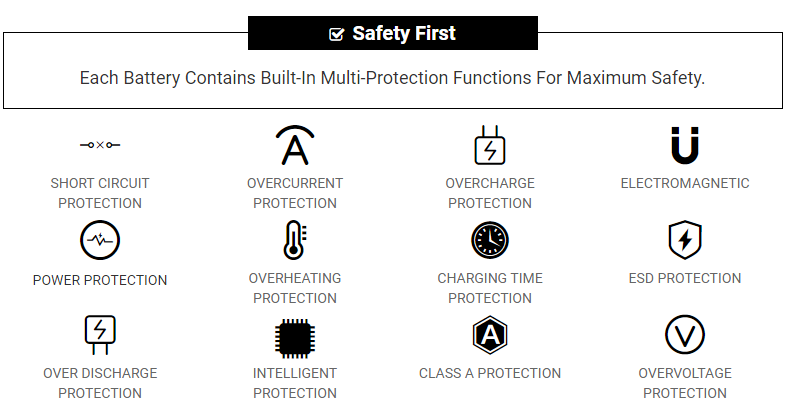
HUWI 6083215P battery replacement certified by CE, UL, ROHS, ISO9001/9002 for safety, you can buy with confidence!
Compatible Part Numbers
6083215P 6083220PCompatible Model Numbers
for HUWI F152J F152R7-16
for AMD inside 6083220P
Attention:
If the capacity is low in current,CPU will be in electricity-saving model and battery can not be charged.In this case,take off the battery and fit on to rouse the CPU. The 6083215P battery can be charged then.
Remove the battery when don't use if for long time,or the currency will be lost and the cell will be damaged.
Recharge the battery as the circle more than once per month to make the management of capacity reach its best status, and prolong HUWI 6083215P Laptop Battery useful life.
FAQs
Q: Does your replacement HUWI 6083215P battery compatibles with my original HUWI 6083215P battery?
A: 100% OEM compatible, guaranteed to meet the specifications of your original HUWI 6083215P battery (ensue same size & high quality). And all our batteries for HUWI 6083215P have obtained international certification( CE, UL, ROHS, ISO9001/9002 ).
Q: How to Remove Replace Install and Upgrade your HUWI 6083215P Laptop Battery?
A: 1. Turn your HUWI 6083215P laptop over.
2. Find the laptop battery release button lock for your HUWI 6083215P laptop.
3. Now that your HUWI 6083215P Laptop Battery is unlocked, find the battery release button down.
4. Holding the Laptop Battery release button, gently pull your battery away from the laptop.
5. Now that your HUWI 6083215P battery is removed, grab your replacement HUWI 6083215P battery for installation.
6. Insert the battery into the slot. Push the HUWI 6083215P battery towards the laptop and secure it in place.
Q: Does overcharging damage the battery for HUWI 6083215P laptop?
A: Overcharging can create excessive heat which bends the plate within the cells and shed active material then results in the capacity loss.
Q: How to extend the life of the battery for HUWI 6083215P laptop?
A:1. A new battery comes in a discharged condition and must be charged before use. Upon initial use (or after prolonged storage period) the battery may require two or three charge/discharge cycles to achieve maximum capacity.
2. If the HUWI 6083215P Laptop Battery is not going to be used for more than a month, it is recommended that it be removed from the device and stored in a cool, dry, clean place.
3. A battery will eventually lose its charge if unused long time. It is necessary to fully recharge the battery after a storage period.
4. The battery for HUWI 6083215P laptop healthy by fully charging and then fully discharging it at least once every two to three weeks. Exceptions to the rule are Li-Ion batteries which do not suffer from the memory effect.
Tags:HUWI 6083215P Battery, Battery for HUWI 6083215P, HUWI 6083215P Laptop Battery,HUWI 6083215P battery replacement,HUWI 6083215P batteries,cheap HUWI 6083215P battery,replacement HUWI 6083215P battery,HUWI F152J F152R7-16.
Shipping Information
1.Shipment Methods
Currently, all of our shipments are through Priority Mail (EMS USPS),if you are dealer,you can selected others .We can not offer Overnight (UPS Red) and 2nd Day Delivery (UPS Blue) .
2.Shipping & Handling
Free Shipping on All Orders!
All orders placed for Standard Shipping on all stock items will be shipped within 1 - 2 business days.
Estimated Delivery Time:3 - 7 Business Days
It is very easy for you to check the status of your order and locate the package during transit, as an email with a tracking number will be sent to your email address after your order has been shipped out. Tracking number will be emailed to buyer once your ordered item is shipped out.
Shipping rates: Our rates include the expenses of shipping, handling and the high quality packaging.
Attention: Priority mail will be used for all PO Box shipping addresses ,But All APO's and military addresses do not apply here. Please use standard shipping for these. Thank you.
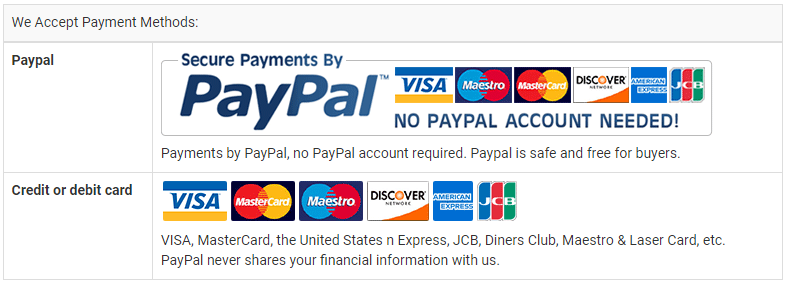
Payment Methods
Find right battery for your laptop
Different laptops have different models of batteries and it thus becomes essential to buy the right replacement battery that fits into your laptop. The first thing you need to know is your laptop model or the battery model. We always recommend to our customers to provide the battery model number or the battery part number to avoid purchasing a wrong battery. Providing the correct information is essential to get the correct battery and the battery mode number of the laptop model number is different for each brand. It’s a bit confusing what exactly to look when you don’t have any technical knowledge. However at Batterysg.net our friendly staff always happy to help our valued customers to choose right battery for their laptop.
We have described some common methods to identify your battery model or the laptop model. By following below methods you can find correct part number for your laptop battery.
Battery model number (Recommended)
Try to locate the model number on the laptop battery. Different laptop brands have different terms and displayed in different locations however you will be able to find it because the battery model number will be in big bold letters. In some brands model is spelled as a module.
E.g. PA3534U-1BRS, AS07A71
Battery HSTN number, type number or the spare number
This method is common with HP, Dell and MacBooks. You would need to find the battery HSTNN number or the Battery type number or the spare number.
E.g. HSTNN-LB40, Type J1KND, HP replace spare number 484171-001
Laptop model
Lenovo T430s screen
On some brands you can’t and any information or a model number on the back side of the laptop. If you are having the same troubles try to locate the model number on your laptop keyboard or the screen frame area. In most cases you will be able to find something big and bold.
E.g Lenovo T430, Dell Studio 1535
Laptop model (For Advanced users)
Dell dos mode screen
We don’t recommend this option if don’t have good computers skills. To find your model from the laptop you would need to go to Dos mode before boot up the PC. Then you can locate a Tab called “Information” or “About” to find the model number. Some brands will display the model or the series number before the windows welcome screen.
e.g. Power Edge M710, Dell Studio 1735
Once you find the model number of your laptop battery you can easily purchase a replacement battery for your laptop
Or
You can contact us and our friendly staff will help you to find right battery for your laptop.
.jpg)
.jpg)

.jpg)